No chat history yet.
AI Support Center
Online Cloud REJI Support
🛍 Shop Knowledge Base
Support Page
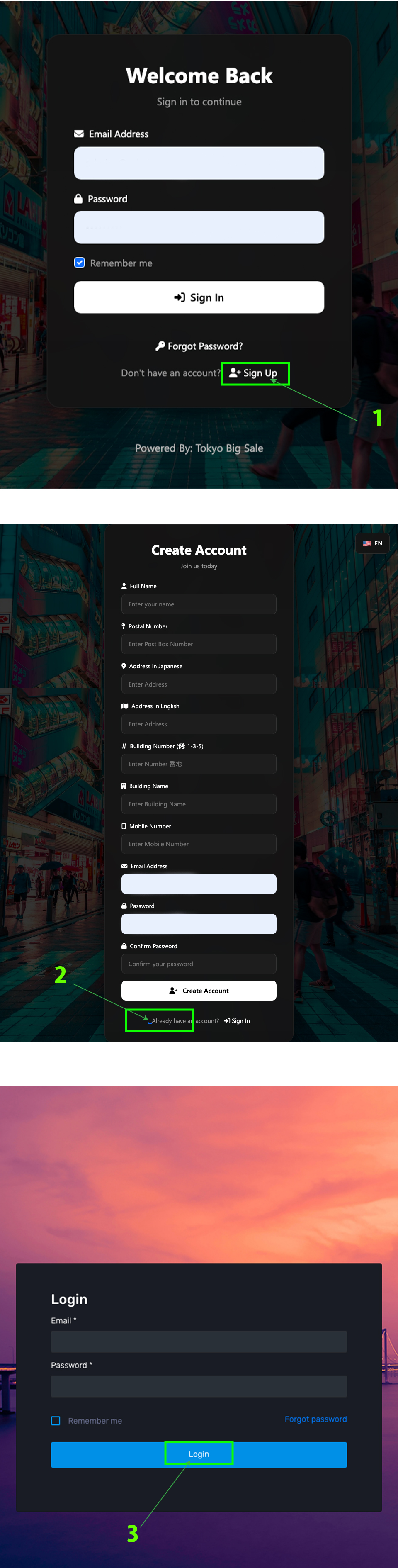
Editable in config/support_qa.phpUse your registered email and password to log in to the Admin or Reji portal. Click on Sign Up -> Click on .... -> Enter Email and Password -> Click Login.
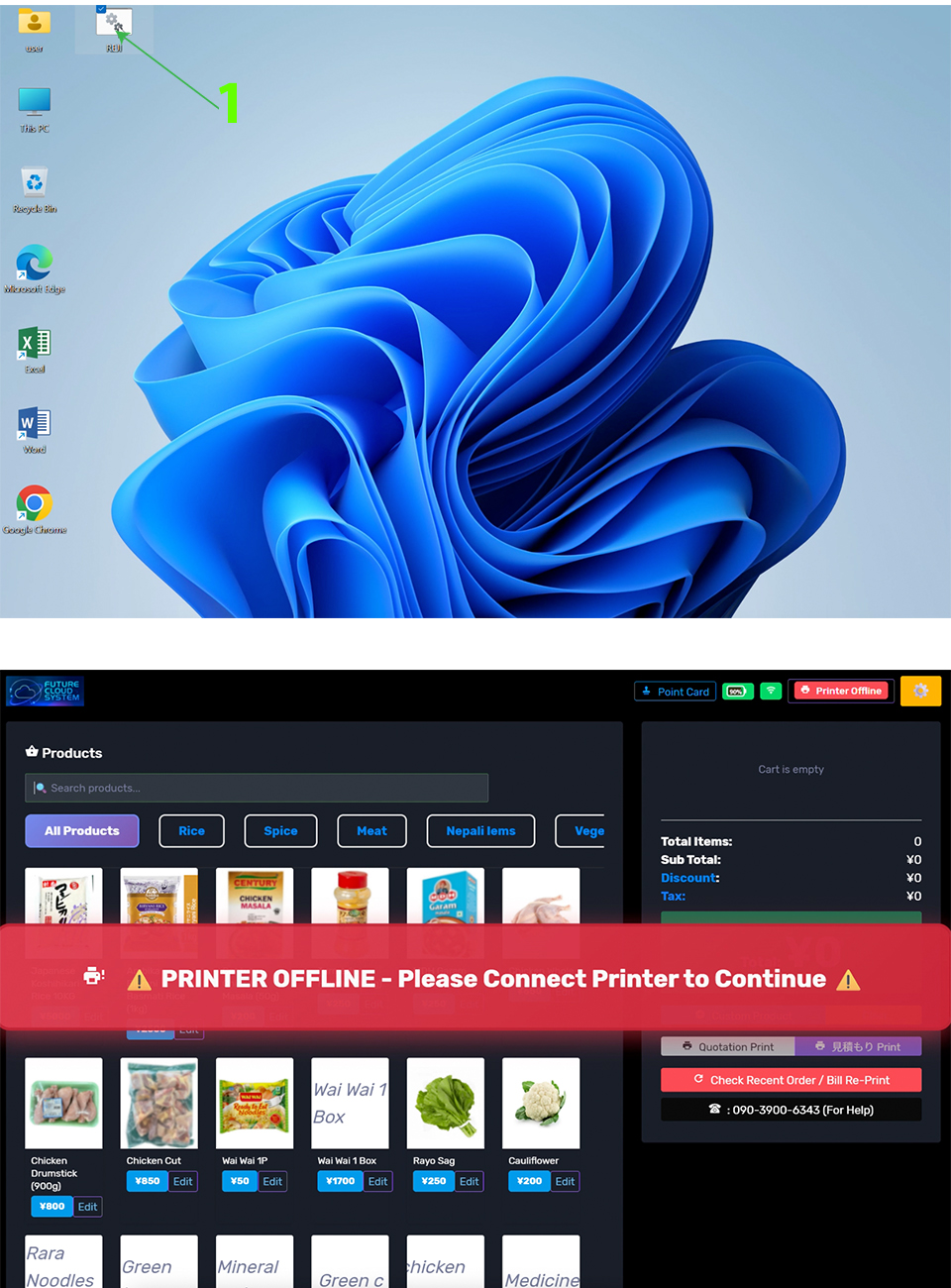
Double Click on the Reji Software icon on your desktop. If you do not have it, contact support to get the installation file and instructions.
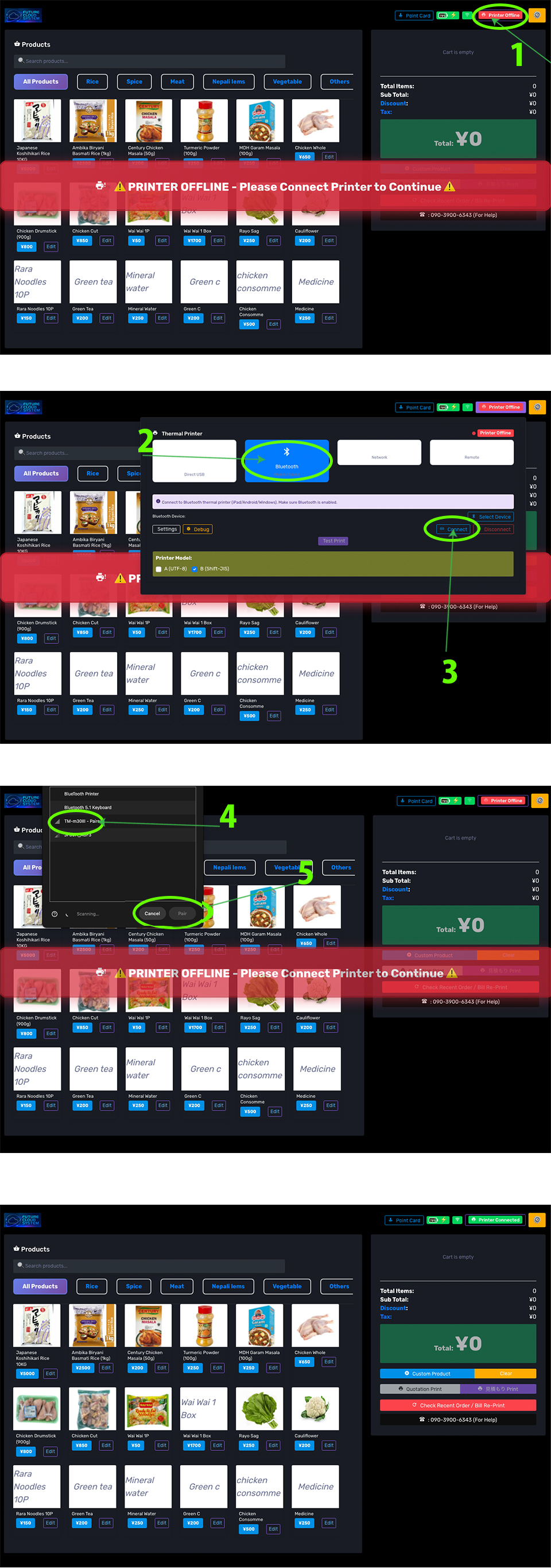
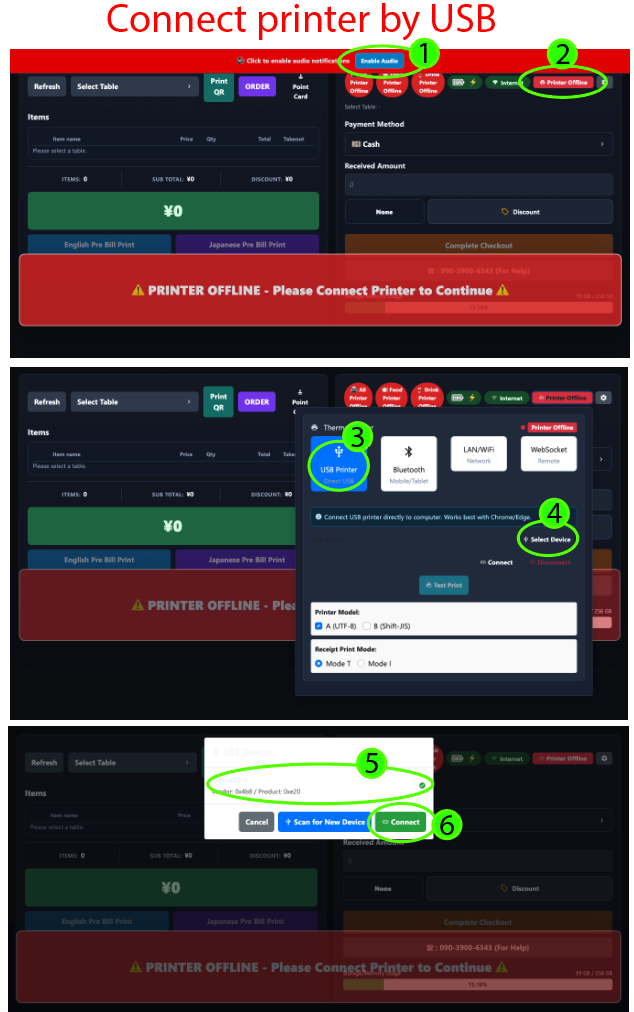
Ensure your printer is connected to power cable. Open Reji Software, Click on Printer Offline -> Click on Bluetooth -> Click on Connect -> Select Printer Name and click on Pair
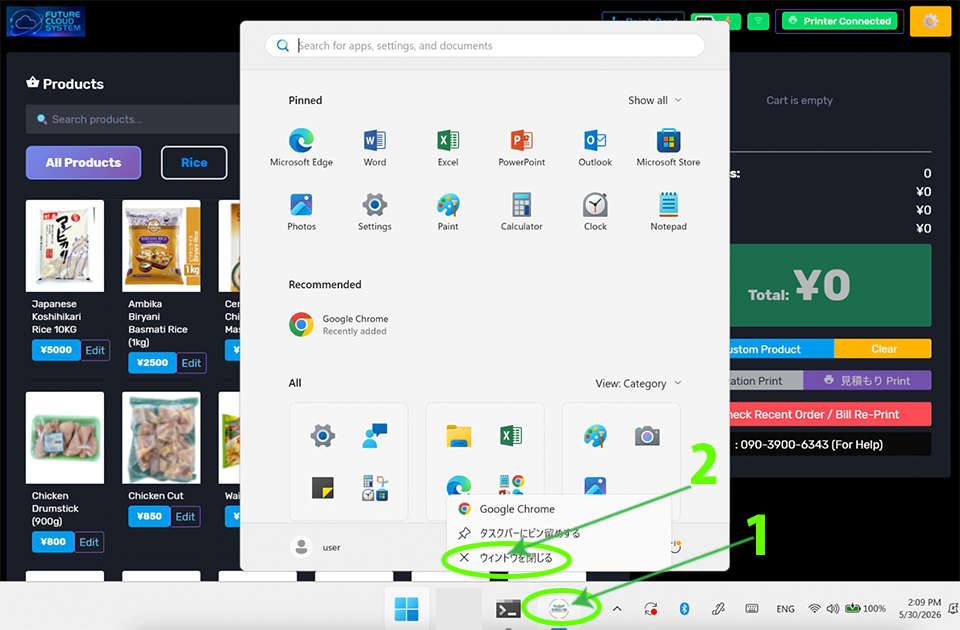
Click & hold on the round icon -> click on X to close.
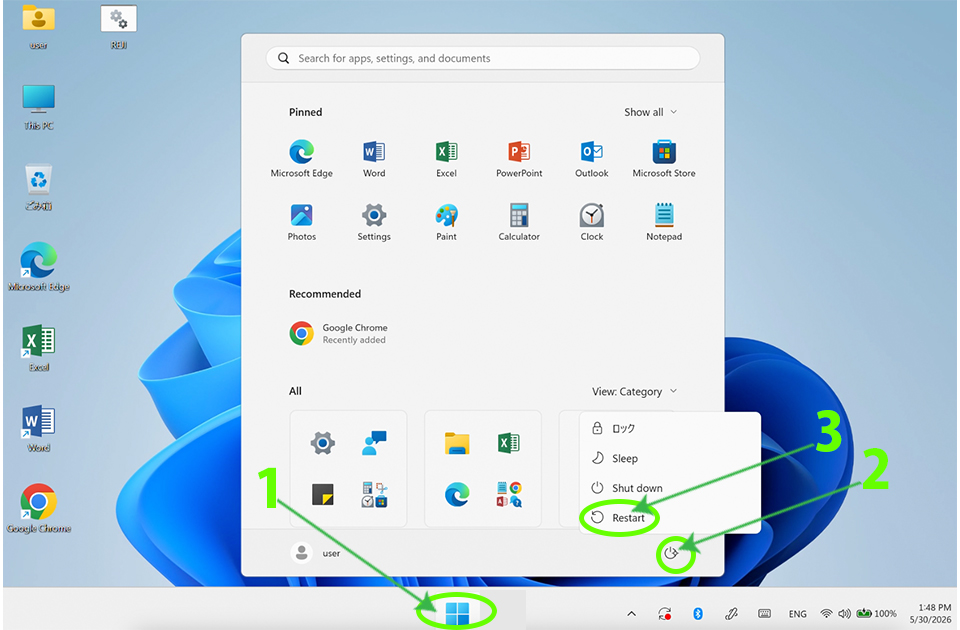
Click on the Start menu->Click on PowerIcon->Click on Restart, and wait for your device to reboot.
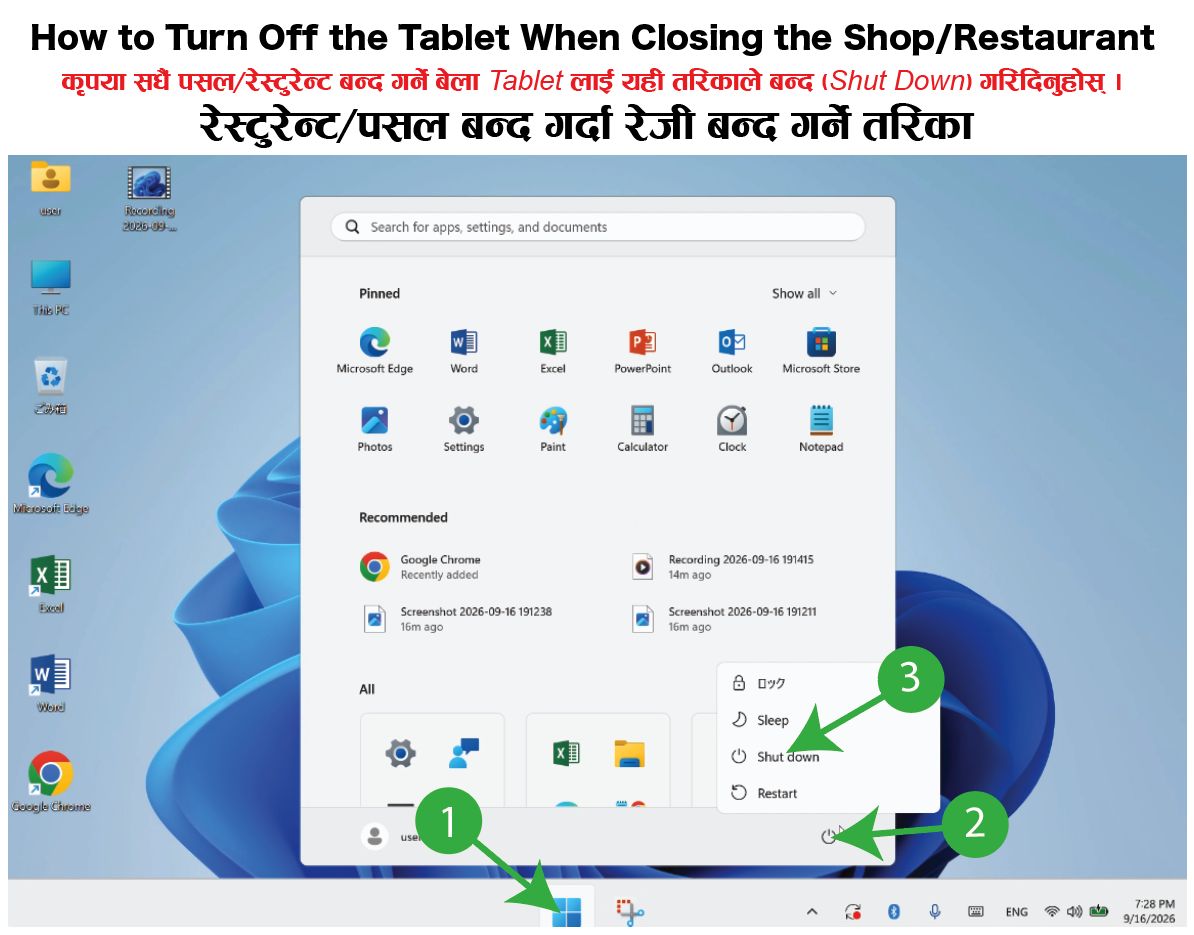
Click on the Start menu->Click on PowerIcon->Click on Shutdown, and wait for your device to power off.
 General
To delete an item, Click on Check Recent Order/Bill Re-print button->Click on the Details you want to delete->Click on the Items you want to delete->Click on Delete button->Type reason and click on Contiue to PIN->Enter PIN (1599) and confirm.
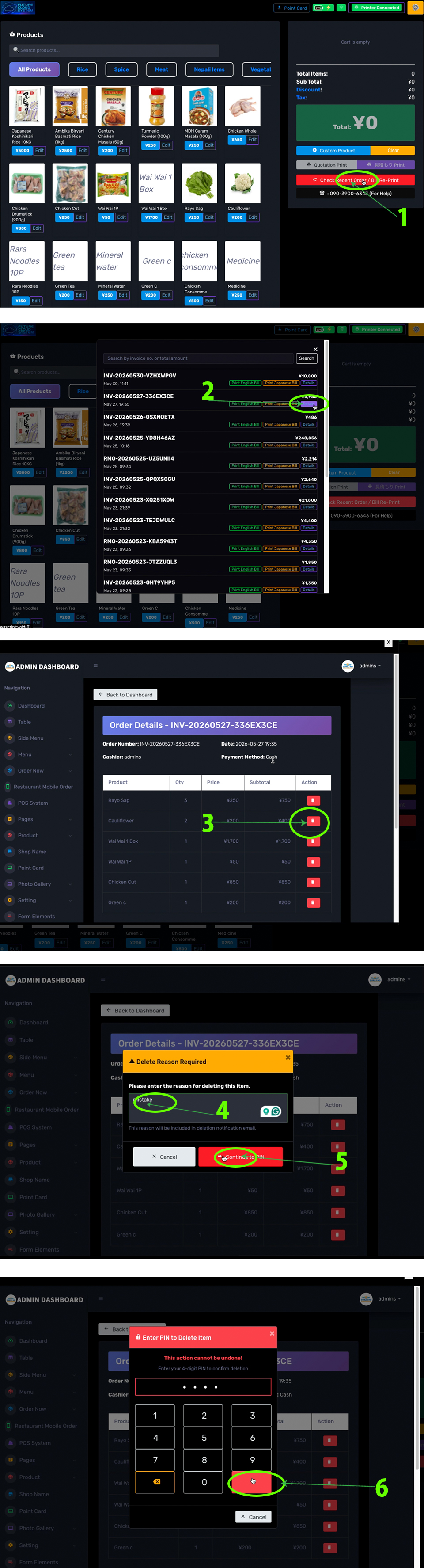
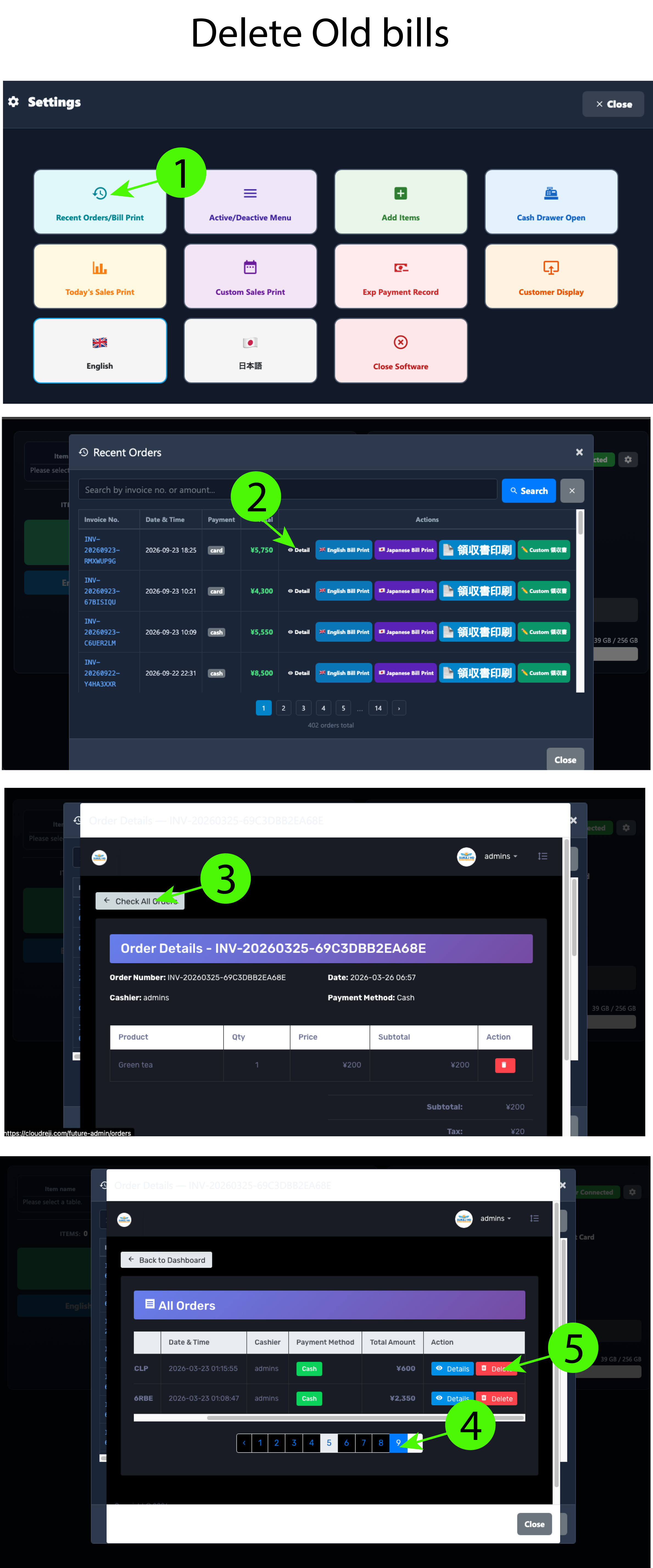
To delete all bills, Click on Check Recent Order/Bill Re-print button->Click on the Details->Click on Check All Orders-> Click on the Delete button->Click on the Items you want to delete->Click on Delete button->Type reason and click on Contiue to PIN->Enter PIN (1599) and confirm.